

In today’s hyper‑connected world, communication happens at breakneck speed. Whether you’re coordinating with colleagues across time zones, staying in touch with friends and family, or building communities around shared interests, the right messaging app can make all the difference. Over the years, I’ve personally used dozens of platforms—some that have become indispensable, and others that fizzled out as my needs changed. In this article, I’ll walk you through the best messaging and communication apps you need right now, what they’re great for, where they fall short, and how they fit into real life.
What Makes a Great Messaging App
Before diving into individual apps, it’s worth understanding the qualities that separate the best from the rest: freedom from friction—setup should be easy, and usage should be intuitive; reliable delivery—messages and calls should arrive quickly and intact; privacy and security—especially in an era of data breaches and surveillance; cross‑platform support—people on iOS, Android, or desktop should all be able to connect; rich features—from media sharing to voice and video calls, stickers to file transfer; and personalization—customization options help make communication feel more human. In my experience, the best apps tick most of these boxes without overwhelming users with complexity.
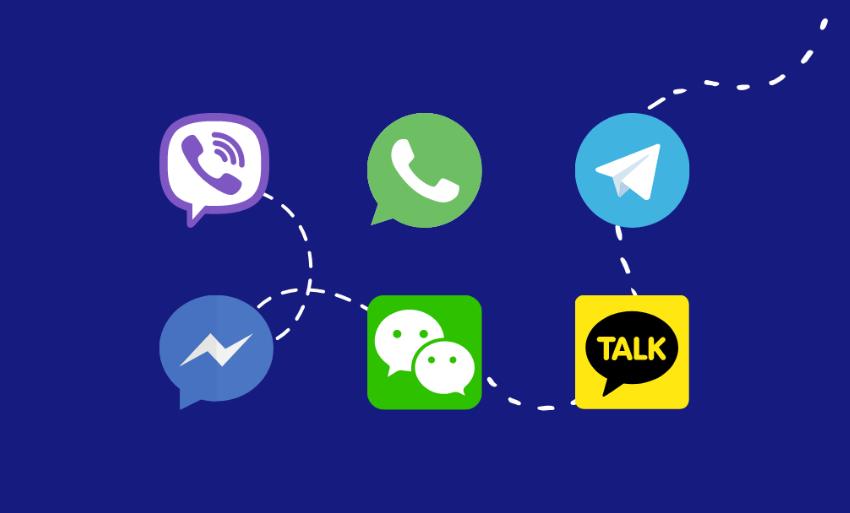
WhatsApp is the most ubiquitous global messaging app in the world for good reason. If you’ve ever traveled abroad, chances are you leaned on WhatsApp to keep in touch with people back home. With over two billion users worldwide, it’s become virtually universal. It’s simple to set up using just your phone number. Text, voice notes, photos, videos, documents—everything flows easily. Group chats are robust, supporting large groups and admin controls. End‑to‑end encryption protects your conversations. Status updates add a social twist to messaging.
For me, WhatsApp is the go-to for casual chats and planning trips with friends. When my partner and I were organizing a house renovation with contractors in different states, we created group chats for each project area (plumbing, electrical, painting). What I appreciated most was how everyone, tech‑savvy or not, could jump in without confusion. On the downside, WhatsApp’s desktop app is still tied to your phone being online, and some privacy critics have taken issue with its parent company’s data practices. Despite this, its sheer global reach makes it essential.
Telegram
If WhatsApp is the everyday workhorse, Telegram is the power user’s playground. It strikes a compelling balance between speed, privacy, and features. Telegram’s strengths include cloud-based messaging for seamless access across devices, massive group chats and channels ideal for communities, bots and automation for polls, reminders, and smart features, secret chats with optional self‑destruct timers, and custom themes, stickers, and animated emojis.
I remember joining a city‑wide neighborhood group on Telegram during a local event. The community organizers used pinned messages for schedules, bots to collect volunteer sign-ups, and channels for updates that reached hundreds effortlessly. The experience felt organic and real—like a community space rather than a broadcast feed. Telegram also handles large file sharing beautifully, so I often use it for sending high-quality photos and videos without compression. One caveat is that while regular chats aren’t end-to-end encrypted by default (only Secret Chats are), Telegram still encrypts messages between your device and their servers.
Signal
For those who care deeply about privacy, Signal is the gold standard. Recommended by security experts and privacy advocates around the world, Signal is built with encryption at its core and minimal data collection. Signal’s appeal lies in default end-to-end encryption for all communication, open-source code that’s transparent and auditable, disappearing messages, and other privacy-focused tools, as well as audio and video calls that feel surprisingly clear and stable.
I started using Signal when a journalist friend urged it as an alternative to mainstream apps. At first, the sparse interface felt almost retro, but I quickly came to respect the app’s focus—no ads, no trackers, just secure conversations. For sensitive exchanges, it’s now my default choice. The drawback? Adoption. Because Signal doesn’t have the user base of WhatsApp or Messenger, it sometimes feels like the only person in your contacts without it is… everyone else. Still, for privacy-first users, it’s a must.
Facebook Messenger
Facebook Messenger remains a staple in the messaging ecosystem, especially in North America and Western Europe where Facebook usage is high. It’s more than just a chat app—it’s a communication hub. Messenger is significant because it integrates with Facebook’s social graph, supports rich media sharing, games, and interactive features, and allows seamless switching between text, voice, and video calls. It also enables cross-app messaging with Instagram.
Messenger is particularly effective for social and casual communication. I often coordinate events and share photos with extended family through Messenger because people are already on Facebook, and the user experience is familiar. However, concerns about privacy and data usage are real for many users. If that’s a priority for you, Messenger might not be the ideal choice. But for social connectivity, especially for people already embedded in the Facebook ecosystem, it remains powerful.
iMessage
Apple’s iMessage is often described as the silent standard in the United States and many other Apple-centric markets. If everyone in your circle uses an iPhone, iMessage feels natural, instantaneous, and integrated. iMessage excels in seamless syncing across iPhone, iPad, and Mac, rich multimedia experiences including effects, stickers, and reactions, default end-to-end encryption, and integration with SMS for non-Apple users.
On my iPhone, iMessage is where most of my personal conversations happen. The subtle animations, Tapbacks (message reactions), and easy media handling make it feel lively and expressive. Group chats are robust and usually glitch-free. The limitation, of course, is platform confinement. iMessage’s magic fades when communicating with Android users, who get SMS instead. But within the Apple universe, it’s arguably the smoothest messaging experience.
Slack
When communication shifts from personal to professional, Slack often becomes the centerpiece of workplace collaboration. It’s more than a chat app—it’s a team hub. Slack stands out because channels organize conversations by topic or team, it integrates with tools like Google Drive, Zoom, Trello, and GitHub, threads keep discussions tidy, and searchable history helps find past conversations quickly.
In a previous role at a fast-growing startup, Slack replaced emails for everyday communication. What impressed me was how easily the team could create channels for product launches, bug tracking, social events—each with its own identity and purpose. Threads prevented important points from getting lost in group chatter. That said, Slack can become noisy without proper guidelines, and its free tier has limitations on message history. For many teams, though, it’s indispensable.
Microsoft Teams
Microsoft Teams has surged in popularity, especially among enterprises and organizations invested in the Microsoft ecosystem. It combines chat, video conferencing, file sharing, and collaboration tools into a unified workspace. Teams excels at deep integration with Microsoft 365 apps, high-quality video meetings and webinars, and persistent chat that stays connected to files and projects.
During the pandemic, Teams became a lifeline for countless businesses transitioning to remote work. I recall joining a virtual training session where the presenter shared editable documents in real time while participants chatted side-by-side—it felt like a virtual office buzzing with energy. For organizations already using Word, Excel, and OneDrive, Teams feels like a natural extension. It’s heavier than simple chat apps, but for structured collaboration, it’s powerful.
Discord
Originally designed for gamers, Discord has evolved into a vibrant space for communities of all kinds—from tech enthusiasts to book clubs. Discord offers persistent voice channels for real-time hangouts, text channels organized by topic, rich community moderation tools, and audio/video chat plus screen sharing.
I joined a small creative writing server where we used Discord voice channels for weekly workshops, sharing drafts and feedback live. It felt more immersive than text alone, and the ability to hop between voice and text made communication fluid. Discord’s community-centric design makes it ideal for groups that want more than one-on-one chat. If your audience engages in shared interests or activities, Discord might be the perfect platform to build your community.
Viber
Though less popular in the U.S., Viber boasts strong usage in Europe, Asia, and parts of Africa. It combines messaging with voice and video calling and emphasizes privacy and quality. Key features include end-to-end encryption across chats and calls, public chats and communities, and high-quality international calling options.
I’ve used Viber when traveling in Eastern Europe—its voice quality was noticeably clearer than some local mobile networks, and the encryption offered peace of mind. It also handled multimedia sharing reliably, even in areas with spotty data coverage. While global popularity varies, Viber is worth considering depending on your audience demographic.
WeChat is in a class of its own—especially in China, where it’s more than a messaging app; it’s a digital lifestyle platform. Users can message, pay bills, book services, and more—all within the app. WeChat’s standout features include messaging with voice, video, and text, in-app payments and mini-programs, and social features like Moments.
For anyone doing business with or connecting socially in China, WeChat is essential. Its mini-program ecosystem turns the app into a Swiss army knife of daily needs. Personally, when I traveled through Shanghai and Beijing, WeChat’s payment integration made everything—from taxis to restaurants—seamless. The tradeoff? WeChat’s data practices align with local regulations, which may not meet Western privacy expectations. But functionally, it’s a powerhouse.
Choosing the Right App for You
Here’s a quick guide based on different needs: For everyday family & friends: WhatsApp, Messenger, iMessage; for privacy-minded users: Signal, Telegram (Secret Chats); for professional teams: Slack, Microsoft Teams; for communities: Discord, Telegram Channels; for international communication: WhatsApp, Viber, WeChat (region-dependent).
Communication has become more than just sending words—it’s sharing moments, coordinating plans, expressing personality, and building relationships across distances. The apps highlighted here reflect the diversity of how we connect today, from simple texting to collaborative virtual spaces. Over the years, I’ve learned that no single app can do everything perfectly. What matters most is choosing tools that fit your lifestyle and the people you care about. Perhaps WhatsApp will keep your family organized, Slack might streamline your workday, and Discord could become the place where your favorite community gathers. In a world brimming with options, the best communication app is one that keeps you connected without complication—and helps make every conversation meaningful.